Lazada Withdrawal Failed? Here’s Why Your Balance Is Restricted
Erra09 Feb 2026 03:27ENCopy link & title
You open the Lazada Seller Center, see money in your account, click withdraw and the withdrawal fails or only part of the balance is available.
This usually happens because Lazada does not allow withdrawals based on the displayed balance alone. Withdrawals are calculated using your balance after pending refunds and reversals are settled, not what you see on screen.

The Balance You See Is Not Your Withdrawable Balance
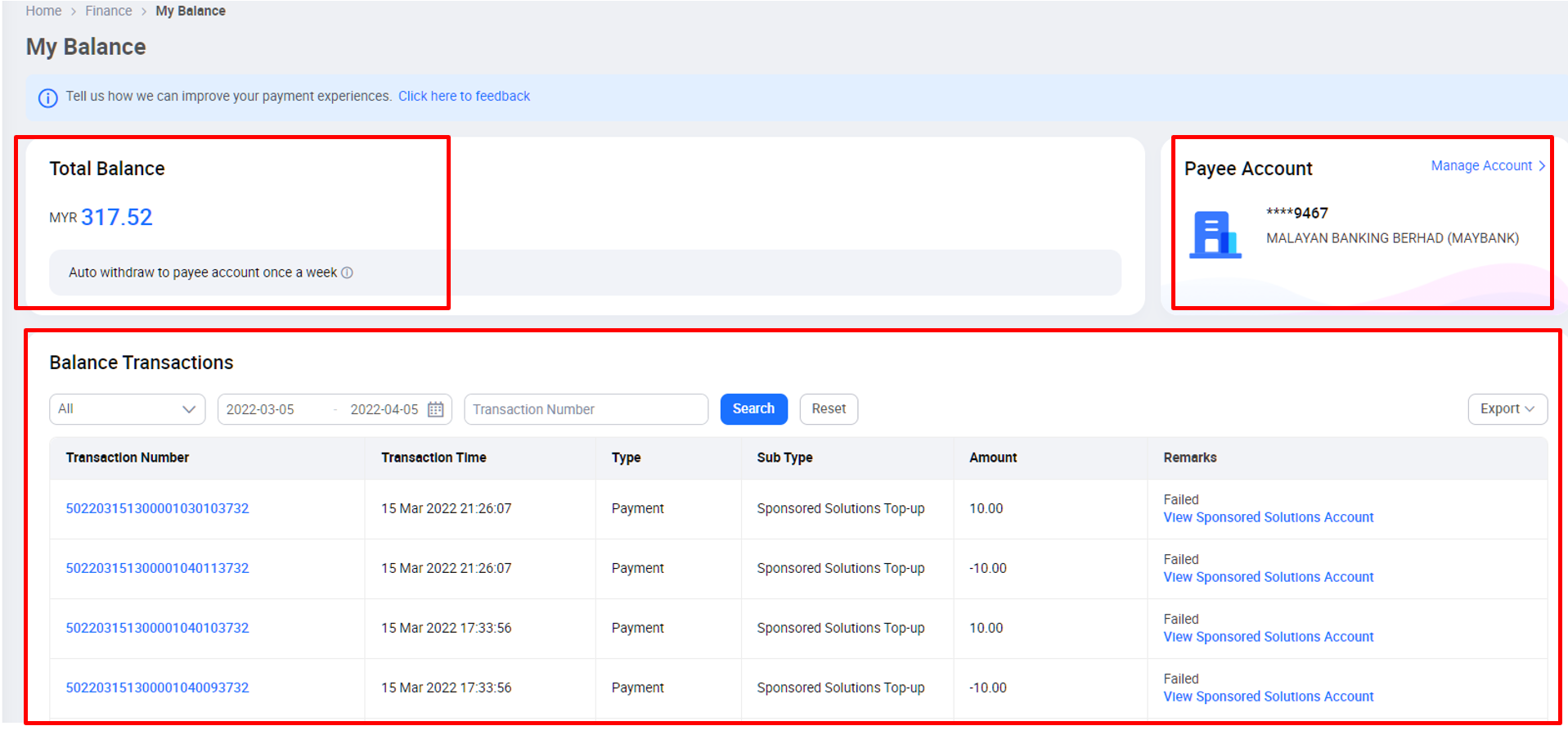
The amount shown in Lazada Seller Center > Finance > My Balance is not the amount you can withdraw immediately.
It is a snapshot of your account at that moment and may still include money that Lazada needs to hold temporarily, such as:
-
Refunds that have already been requested
-
Reversals that are still being processed
-
Transactions that are not finalized in the current billing cycle
Because these amounts are not settled yet, the balance shown can be higher than what is actually available for withdrawal .
Why Lazada Holds Part of Your Funds
When a refund or reversal is in progress, Lazada must make sure there is enough money in your account to complete it.
So Lazada temporarily reserves part of your balance:
-
The reserved amount cannot be withdrawn
-
It still appears in Seller Center
-
It is only a temporary hold
Once the refund or reversal is fully completed, the reserved amount is released automatically and becomes withdrawable.
How Lazada Decides Whether a Withdrawal Goes Through
Every time you trigger a withdrawal, automatic or manual, Lazada checks your balance after settlement, not the displayed balance.
|
Balance after settlement |
Result |
|
Positive |
Withdrawal succeeds |
|
Zero or negative |
Withdrawal fails |
Settlement takes into account all pending refunds and reversals, including those that are:
-
Already initiated
-
Still being processed
-
Not yet finalized in the billing cycle
This is why a withdrawal can fail even when your account still shows a balance.
Why Automatic Withdrawal Failed
Automatic withdrawals are processed every Monday at 2:00 PM.
If your automatic withdrawal failed, it means that at the exact time Lazada ran the settlement:
-
There were refunds or reversals still in progress, and
-
Your balance after settlement was zero or negative
Because there was no confirmed withdrawable amount at that moment, Lazada did not release any funds.
Once pending refunds or reversals are completed, withdrawals will work again, usually within 1–2 business days.

"There's Still Money Showing. Why Can't I Withdraw It?"
The balance shown in Lazada Seller Center is not updated in real time.
It may still include:
-
Refunds that haven't been completed
-
Reversals that are still being processed
As refunds are settled or new payments come in, your withdrawable balance can change during the day. When the estimated balance after settlement becomes positive, you can try a manual withdrawal again.
Why You Can't Withdraw the Full Amount
Part of your balance may be temporarily reserved to cover refunds.
Example:
-
Displayed balance: MYR 10
-
Pending refunds: MYR 6
Lazada reserves MYR 6 to make sure the refunds can be completed. This leaves MYR 4 as your actual withdrawable amount.
Trying to withdraw more than MYR 4 will cause the withdrawal to fail.
Manage Withdrawals More Clearly with BigSeller
When balances, refunds, and orders are spread across platforms, it's hard to know how much money is actually available to withdraw. A clearer view of orders, refunds, and settlements makes cash flow decisions easier.
BigSeller helps you manage Lazada, Shopee, TikTok Shop, and other platforms in one system, from syncing orders, tracking refunds, managing inventory, and generating clear financial reports so you can see what's settled and what's still pending.
If you want fewer surprises when withdrawing and better control over daily operations, try it yourself.
Try BigSeller for free now and get a 7-day VIP trial coupon to explore advanced features and automation tools with no commitment!
Source: