Both tools are designed to simplify how you plan, run, and optimise your store promotions, using data-driven insights to boost conversions and GMV.
Note: Smart Promotion is currently available by invitation only, so some sellers may not have access yet.

What Are Smart Promotion and Recommended Strategies?
1. Smart Promotion
Smart Promotion is perfect for sellers who want to automate their promotions completely while still maintaining price control. Once you set the promotion duration, product range, and discount limits, the system automatically handles the rest from tool selection to discount optimisation to maximise your results throughout the promotion period.
2. Recommended Strategies
Recommended Strategies is for sellers who prefer to stay in control while still benefiting from AI insights. The system analyses your store’s performance and suggests personalised promotion strategies, such as ideal discount ranges or campaign tools.
You can review, edit, and apply the recommendations that align best with your business goals.
Benefits of Using Smart Promotion
Smart Promotion allows sellers to stay in charge while letting AI handle the heavy lifting. Here’s how it helps:
-
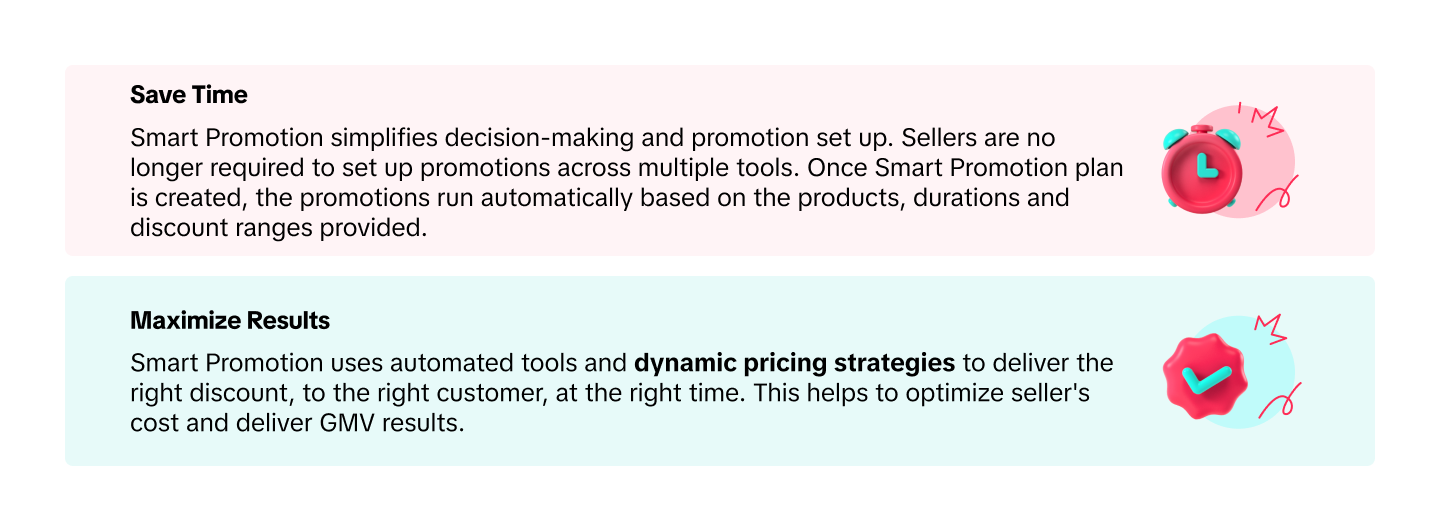
Save Time: You no longer need to create multiple separate campaigns. Once a Smart Promotion plan is set, promotions will run automatically according to your chosen products, durations, and discount ranges.
-
Maximise Results: Smart Promotion uses dynamic pricing and automated tool selection to deliver the right discount to the right customer at the right time, optimising your cost while increasing GMV.
How to Create a Smart Promotion
Step 1: Access the Feature
In TikTok Shop Seller Center (PC), go to the Promotion Module → click Create Promotion → select Smart Promotion.
You’ll see your Potential GMV Increase, which reflects the estimated sales growth after applying Smart Promotion with the suggested discount range.
Step 2: Select Product Segments
Product Segments help you quickly categorise items for your promotion plan. Each segment represents a specific type of product performance:
|
Segment |
Description |
|
Trending |
Products with high page views (PV) in the last 30 days |
|
Clearance |
Products with no sales in the last 30 days and at least 25 units in stock |
|
Best-selling |
Products with high order volume in the last 30 days |
|
Non-competitive |
Top 200 products by GMV and traffic ranking that don’t match other segments |
|
Newly Listed |
Products uploaded within the last 30 days |
|
Custom |
Manually select products to include |
Newly added products in a segment are automatically enrolled in Smart Promotion, except for Custom Segments.
Note: Products already part of another Smart Promotion or AI strategy cannot be selected again during the same period.
Step 3: Review and Confirm Strategy
Here’s what you’ll need to set up:
-
Smart Promotion Name: For easy internal tracking.
-
Promotion Period: Starts immediately upon publishing. Minimum duration is 7 days, but 2 weeks is recommended for optimal performance.
-
Discount Range: AI will suggest a discount range based on similar sellers and product performance. You can review or adjust it.
-
Dynamic Pricing: The system automatically adjusts prices within your set discount range to target different customer segments.
Important:
-
If a product is already in a campaign, its campaign price will remain unchanged.
-
If a product is under another seller promotion, that promotion will be deactivated and replaced by Smart Promotion.
-
Products in a Smart Promotion cannot be added to other seller promotions (e.g., Flash Sale, Product Discount, or Buy More Save More).
Once ready, click Confirm Strategy, and your Smart Promotion will begin immediately.
How to Create Recommended Strategies
You can find Recommended Strategies under the Promotion Module → Create Promotion tab or through the Diagnosis widget (which appears when the system detects unusually strong or weak promotion performance).
-
Review the Suggested Strategy: The system will display AI-generated recommendations, such as discount rates and campaign types.
-
Create or Edit: Click Create Now to launch immediately, or click the edit icon to adjust before publishing.
-
Agree & Publish: Once confirmed, your promotion begins during your selected period.
Managing Your Promotions
All active promotion plans are displayed under:
-
Smart Promotion Tab: Shows all ongoing Smart Promotion plans.
-
Managed by Seller Tab: Displays Recommended Strategies.
You can view performance, end a plan, or deactivate it at any time. When you end a plan, all associated promotions stop running, but existing unexpired coupons remain valid until their expiry date.
Monitoring Performance
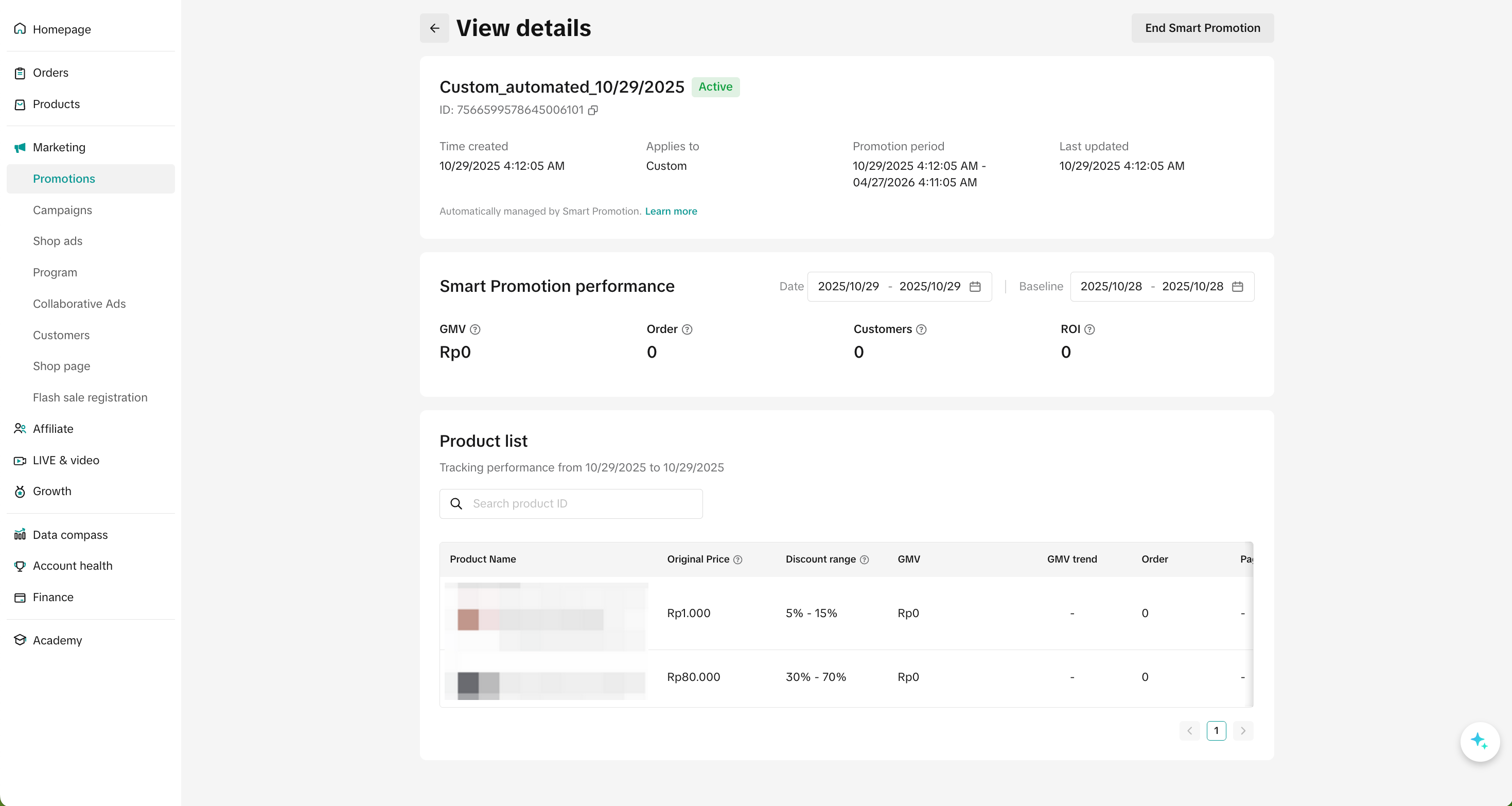
You can track your Smart Promotion results directly on the Smart Promotion Detail Page. Data is updated daily (T+1 basis).
Metrics include:
-
GMV: Total sales value within the selected period
-
Orders: Total number of orders
-
Customers: Unique buyers reached
-
ROI: GMV ÷ Smart Promotion cost
-
Page Views: Product-level traffic data
-
Promotion Cost: Total cost spent on promotion tools
These insights allow sellers to measure performance and refine future promotion strategies based on actual results.
Boost Your Promotion Results with BigSeller
Running Smart Promotions on TikTok Shop works best when your ad budgets are optimised too. That’s why BigSeller now offers the Scheduled Ads Budget Adjustment feature, an automation tool that increases ad spend during peak hours and reduces it during off-peak times.
You can customise budgets by time slot, automate changes, and save time on manual adjustments, ensuring your promotions get the visibility they deserve without overspending.
Try BigSeller for free today and let automation handle your promotions and ad budgets effortlessly.