This quick guide walks you through the entire workflow so you can maximise your free sample campaigns on Shopee.

1. Creating Your Free Sample Campaign
Before sending any sample, you’ll need to set up a campaign in the Shopee Seller Centre.
How to Create a Campaign
-
Go to Shopee Seller Centre > Marketing Centre > Affiliate Marketing Solution
-
Under Popular Tools, click Free Sample > Create.
-
Choose your campaign type and click Go Now.
You can choose between:
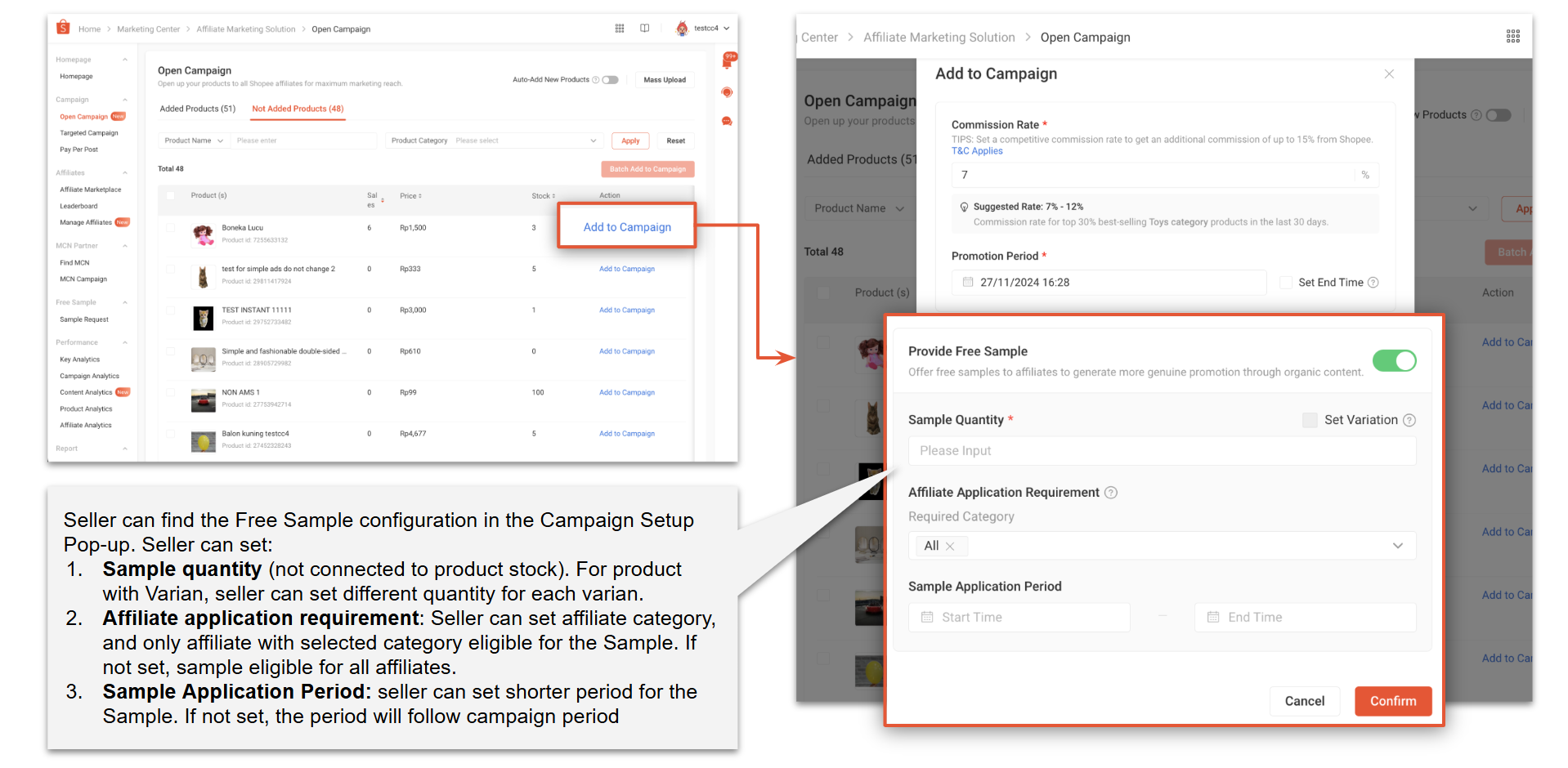
A. Open Campaign, All Affiliates Can Apply
All affiliates can view and apply for your free samples.
Inside the Campaign Setup pop-up, you’ll find the Free Sample configuration:
-
Sample Quantity: Not tied to product stock. For products with variants, you can set different quantities per variant.
-
Affiliate Requirements: You can select specific affiliate categories. If left blank, all affiliates are eligible.
-
Sample Application Period: Optional. If not set, it follows the campaign period.
B. Target Campaign, Only Invited Affiliates Can Apply
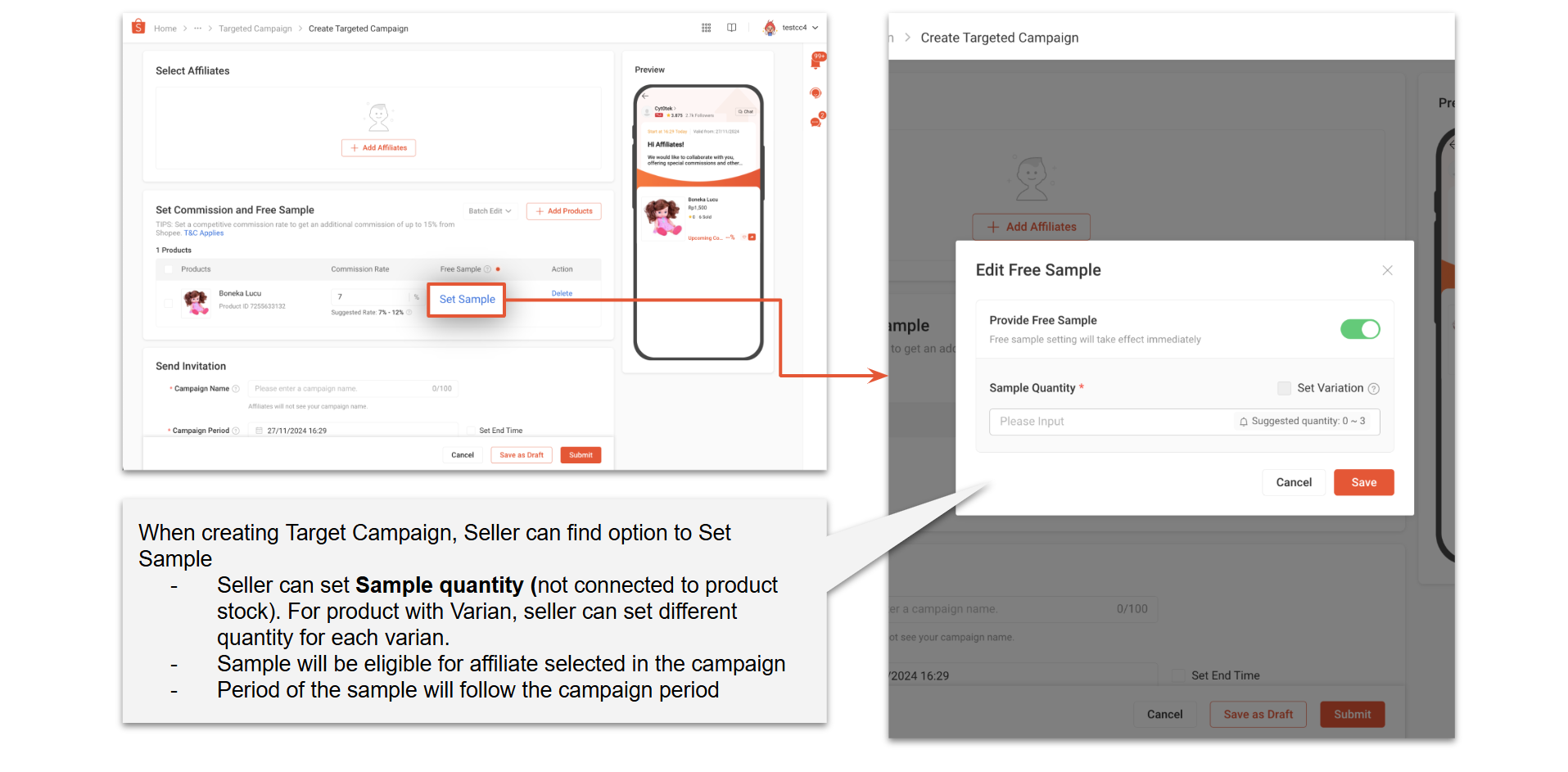
Only affiliates you handpick can view or request your sample.
In the setup:
-
Set the sample quantity (also not tied to product stock)
-
Assign which affiliates are eligible
-
The sample period will follow the campaign period automatically
Important: Free samples can only be set for products that have commissions enabled, whether in Open or Target campaigns.
Once the setup is complete, eligible affiliates will be able to view your sample and submit their requests.
2. Reviewing & Approving Free Sample Requests
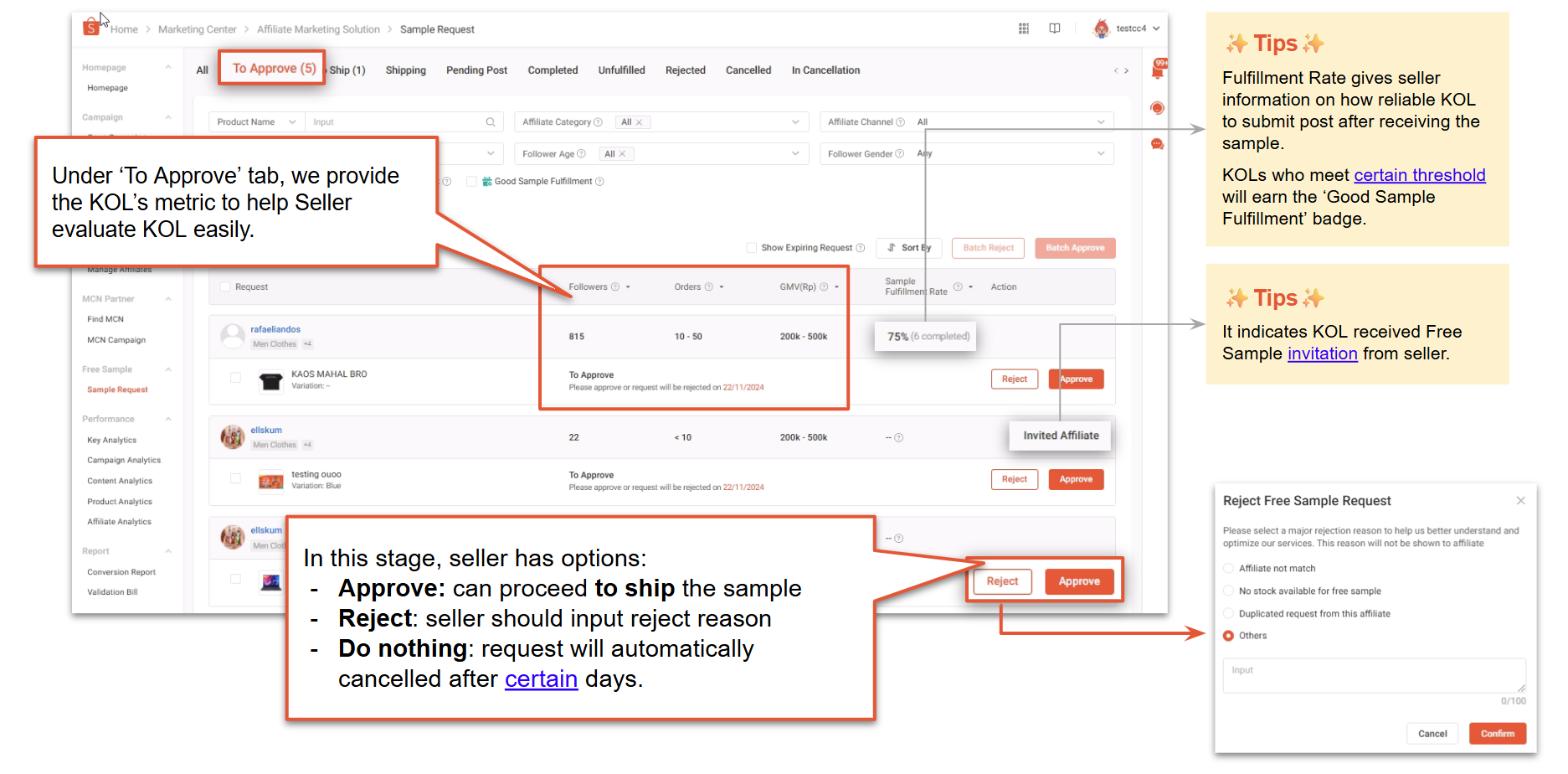
Go to the Sample Request page and check the To Approve column. Here, you can:
-
Approve the request
-
Reject with a reason
-
Do nothing (request will auto-cancel after a few days)
To help you evaluate creators, Shopee displays their key metrics including Fulfillment Rate, which shows how reliably they submit content after receiving samples. Creators who consistently complete their sample obligations earn a Good Sample Fulfillment badge.
3. Arranging Shipment for Your Free Samples
After approval, you can proceed to ship the sample.
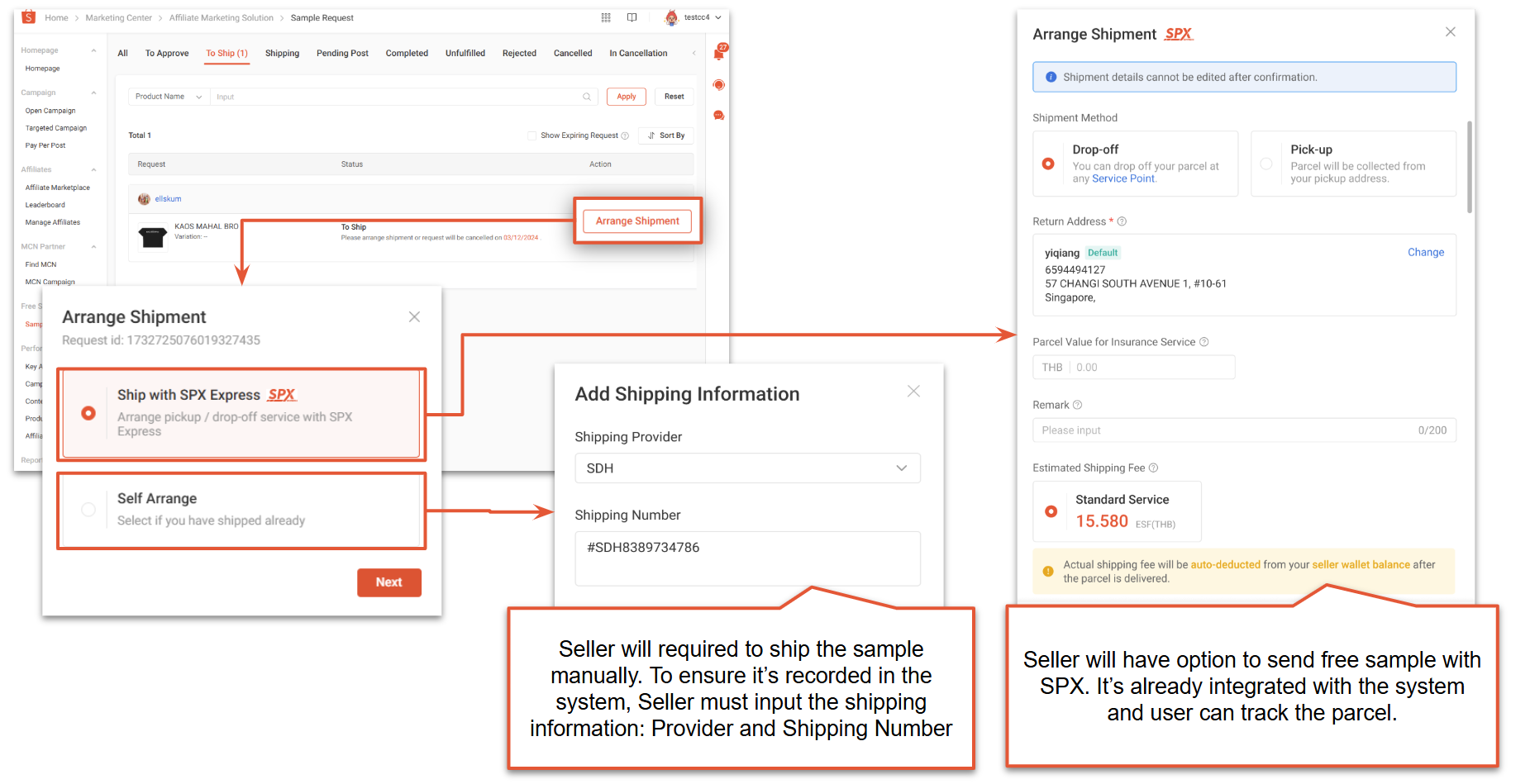
Shipment Options
-
Ship with SPX
Integrated tracking available directly in Shopee Seller Centre.
-
Self-arranged Delivery
You’ll need to manually key in:
-
Shipping provider
-
Tracking number
Shopee requires the shipping details so the system can record and track the sample progress.
4. Tracking the Sample Delivery Status
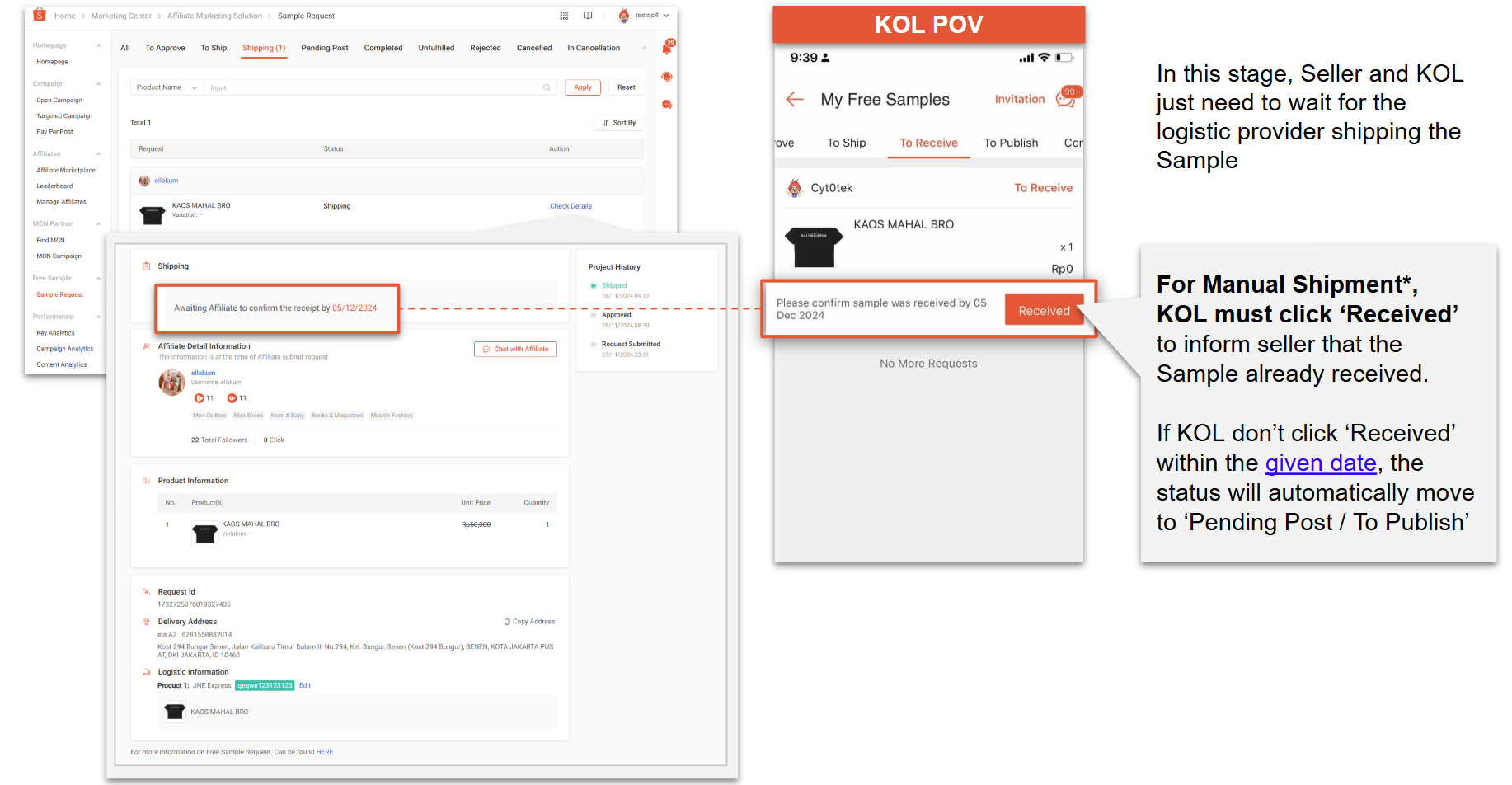
Under the Shipping column in the Sample Request page, you can see the delivery history.
-
If using SPX, tracking updates automatically.
-
If using manual shipment, the affiliate must click “Received” once the sample arrives. If they don’t click it in time, the system will automatically move the request to Pending Post / To Publish.
After the affiliate has received the sample, they must submit:
-
Posting proof manually, or
-
Autolink submission (for Shopee Video or Shopee Live)
5. Checking the Affiliate’s Posted Content
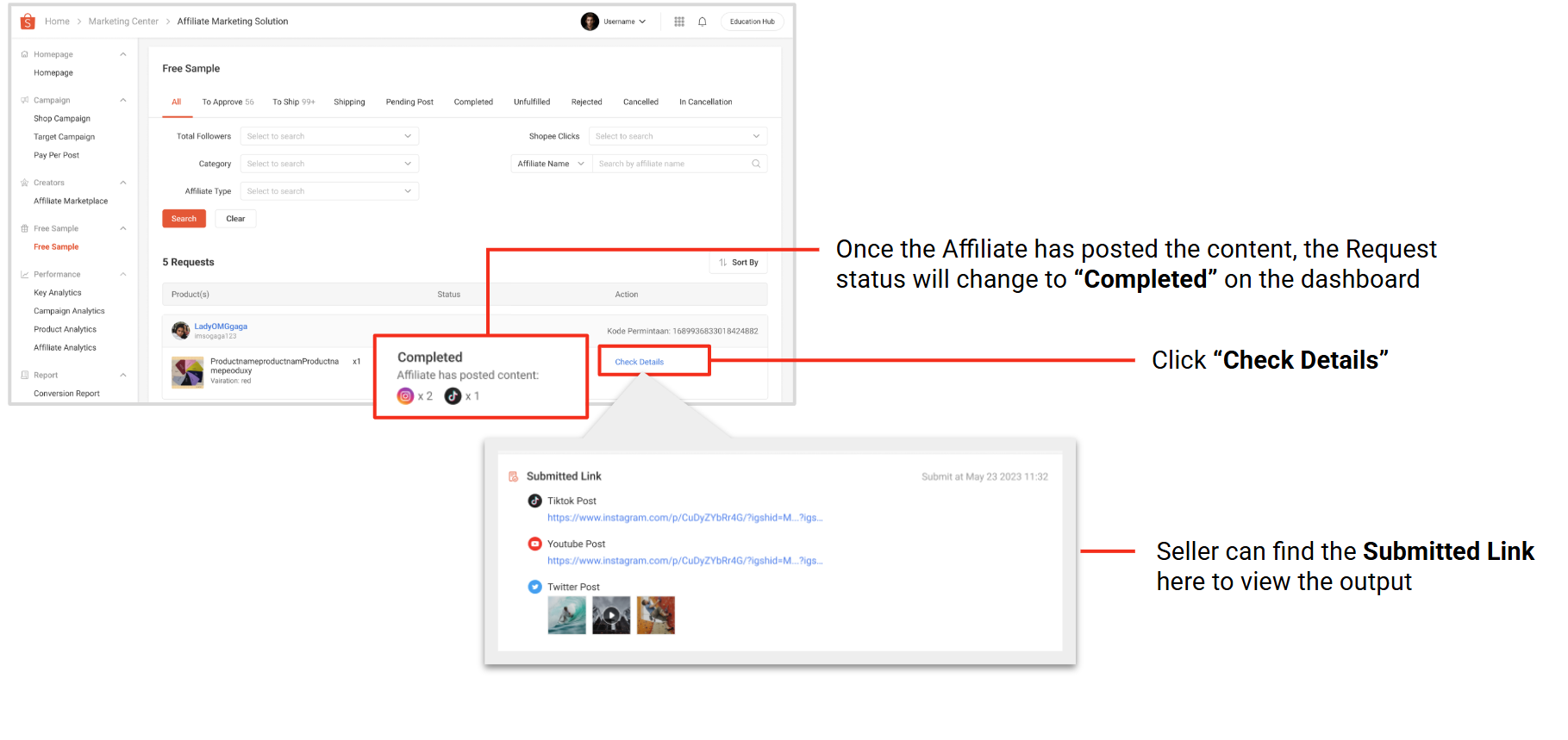
Once the affiliate uploads their content:
-
The request status updates to Completed
-
You can click Check Details to view their submitted link and content output
If the affiliate fails to post
If the creator does not submit their content within the allowed timeframe:
-
Their request status becomes Unfulfilled
-
This negatively impacts their Fulfillment Rate, which sellers can see during future evaluations
6. Important Notes for Sellers
SPX Free Sample Delivery Coverage
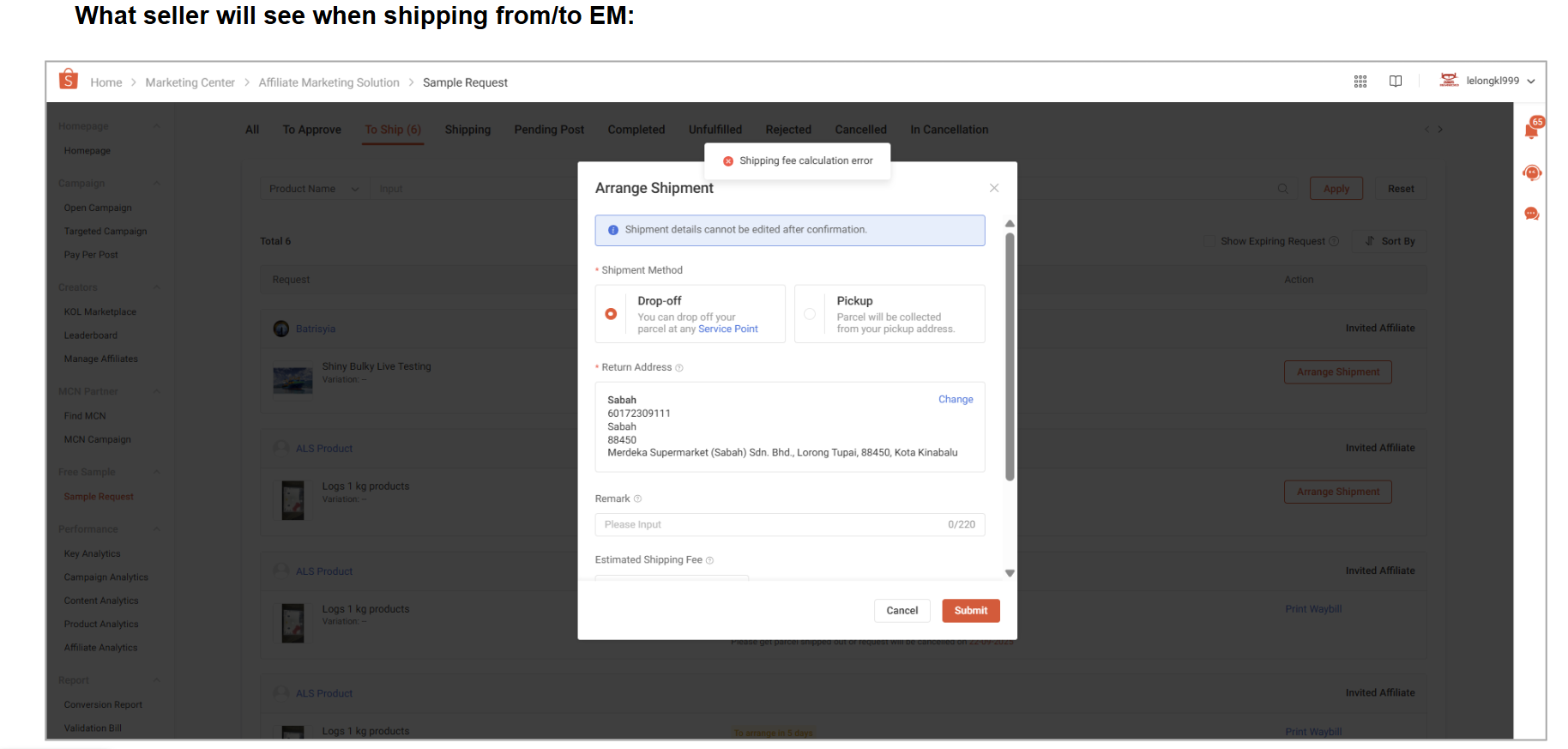
Currently available only for West Malaysia → West Malaysia shipments. Not available for:
-
West Malaysia → East Malaysia
-
East Malaysia → West Malaysia
-
East Malaysia → East Malaysia
If you try to submit a sample to/from EM, the submission will fail. In these cases, choose Self-arranged shipping.
Manage Operations More Smoothly with a Centralised System
Shopee’s Free Sample feature already reduces a lot of manual follow-up by letting sellers approve requests, ship samples, and track affiliate posts in one place. But outside of sample campaigns, most sellers still handle product updates, order processing, stock control, and reporting across multiple tools or platforms, which often leads to missed details and duplicated work.
That’s why BigSeller offers a practical way to keep your daily operations aligned across Shopee, TikTok Shop, Lazada, and other marketplaces. It’s a free, Southeast Asia–focused e-commerce ERP with features such as bulk listing, real-time inventory sync, batch printing, barcode-based fulfillment, sales and profit tracking, and unified promotion management.
If your store is growing or you’re starting to manage multiple channels, using a single system like BigSeller helps ensure your operations stay consistent and organised without adding extra steps.
Create a free BigSeller account today and explore the tools built for Southeast Asian sellers!